GitHub Profile README Builder: Crafting Your High-Conversion Developer Landing Page
In 2026, your GitHub profile is no longer just a code repository—it is your developer landing page. It’s the primary digital storefront where recruiters and engineering managers decide, often in under 10 seconds, whether you are a “hireable” candidate.
Unfortunately, most talented engineers suffer from “Profile Invisibility.” Their pages are a generic sea of gray contribution squares and uncontextualized code. This lack of personal branding for developers is the #1 reason why high-quality candidates get overlooked for premium roles.
The solution? A professional GitHub Profile README Builder.
This guide will show you how to leverage developer portfolio optimization to transform your GitHub from a static archive into a high-conversion career asset.
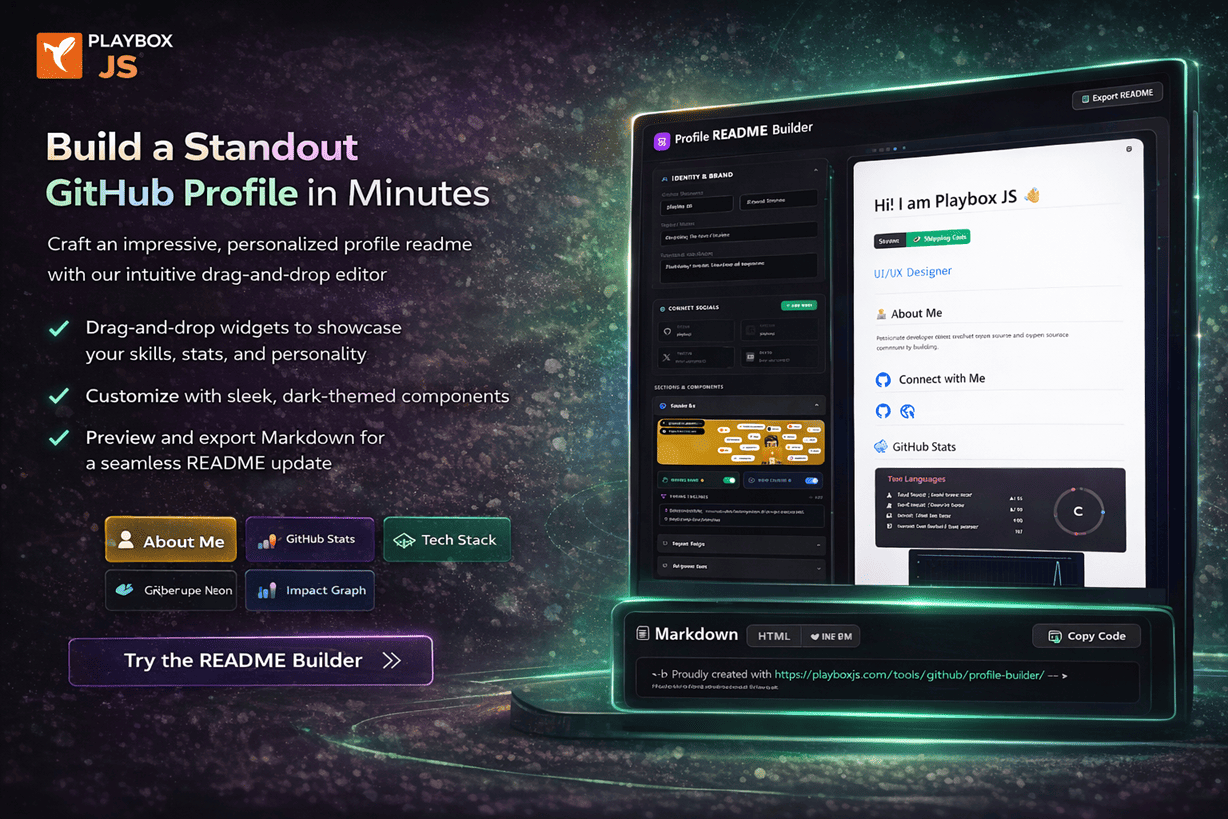
What is a GitHub Profile README Builder and Why Do You Need One?
A GitHub Profile README Builder is a specialized architectural tool that helps you create a high-impact README.md for your profile’s primary landing spot. By creating a repo named after your username, you unlock this “special” feature that sits at the top of your page.
Why Builders Trump Manual Editing
Manually writing markdown often leads to broken layouts or clunky visuals. Builders like the one at PlayboxJS offer:
- Instant Visual Feedback: See exactly how recruiters will see your profile.
- Premium Widget Integration: Add “Proof of Work” widgets like 3D graphs and impact charts without touching an API.
- Architectural Frameworks: Use layouts designed specifically for GitHub job visibility.
Why Your GitHub Profile is Your New First Interview
When a technical recruiter clicks your profile, they aren’t just looking for “code.” They are looking for a transactional value proposition.
The 4 Pillars of a Hireable Developer Profile:
- Identity: Does this person solve the specific problems I have?
- Authority: What evidence exists of their technical mastery?
- Vitality: Are they actively contributing to the ecosystem right now?
- Accessibility: How easily can I move them to the next stage of the funnel?
Treating your profile as a product landing page means applying Conversion Rate Optimization (CRO) to your career. You need a hook, data-backed evidence, and a clear path to contact.
Key Features of a High-Converting GitHub README
To maximize your developer portfolio optimization, your README must be engineered for scannable impact.
📊 Scannable Layouts & Visual Hierarchy
Recruiters scan in an “F-Pattern.” Your most critical info—your stack and your best work—must be in the top-left quadrant.
- Use Icons Over Text: A “React” icon is processed faster than the text string.
- Tiered Headings: Use H2s for major sections and H3s for sub-features to guide the reader’s eye.
🧊 Pre-Built “Proof of Impact” Blocks
Generic bios are boring. Use specific content blocks that signal seniority:
- The Impact Block: Visualize your merge frequency and code reviews.
- Growth Mindset Block: Highlight what you are currently learning (e.g., “Mastering Rust for Web3”).
- Portfolio Cards: Use grid layouts to showcase your top 3 repos with clear “Value Added” descriptions.
Step-by-Step Guide to Using a Profile README Builder for Maximum Visibility
Ready to build your hireable developer profile? Follow this high-performance workflow.
1. Initialize Your Professional Identity
Go to the PlayboxJS README Builder. Start with a punchy tagline. Instead of “Fullstack Developer,” try “Frontend Architect Scaling React Apps for 1M+ Users.”
2. Curate Your Technical Command Center
Selection is better than volume. Only list the tech stack you want to get paid for. This reduces “clutter” and sharpens your personal branding for developers.
3. Inject Dynamic “Live” Evidence
Static profiles are dead. Use the Skill Freshness Radar or the 3D Contribution City. These tools prove your activity is current and your skills aren’t decaying.
4. Direct the Narrative with a CTA
Don’t leave your contact info at the bottom. Add a “Hire Me” or “Let’s Collaborate” button in the upper third of your profile. Direct visitors to your LinkedIn or personal portfolio immediately.
Best Practices for Developer Portfolio Optimization
To truly stand out, you need to think like a marketer while coding like an engineer.
- Maintain Aesthetic Consistency: Use a unified theme. If your blog is dark mode, your GitHub README should match. PlayboxJS tools are designed with a “Premium Dark” aesthetic that fits perfectly with modern developer identities.
- Write for Humans, Not Just Bots: While SEO matters, the person making the hiring decision is human. Use a conversational yet professional tone in your “About Me” section.
- Focus on Business Values: Mentioning “Clean Code” is fine, but “Reduced Build Times by 40%” is what gets you hired.
Common Mistakes That Kill Your GitHub Job Visibility
Avoid these “Conversion Killers” at all costs:
- Badge Overload: Adding 50 social badges makes you look like a beginner. Stick to the 3-4 most relevant ones.
- The “Wall of Text”: No one reads 500-word bios on GitHub. Keep it to 2-3 short, punchy paragraphs.
- Broken API Widgets: If your “Live Stats” widget is showing an error, it signals a lack of attention to detail.
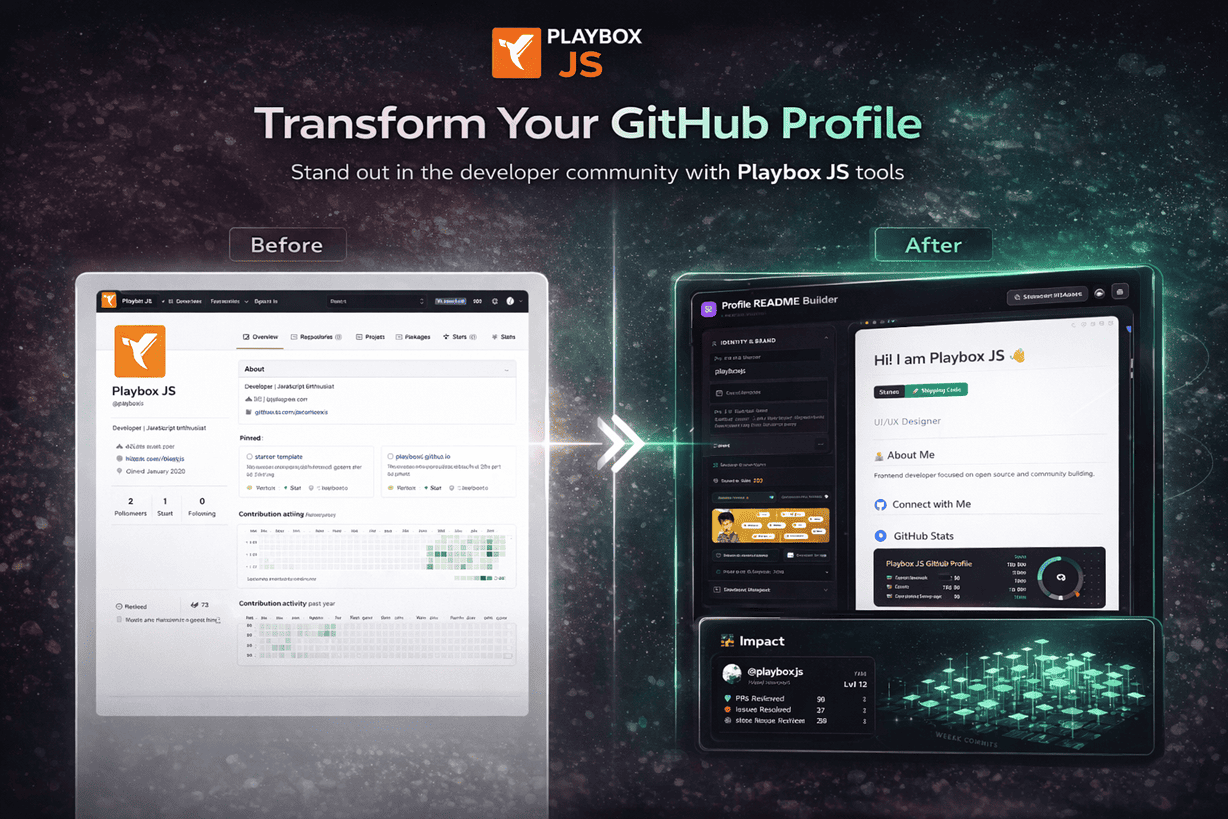
Real Example: The Transformation of a “Hireable” Developer
The Standard Profile (Low Visibility)
- No personalized README.
- Only default GitHub repo list.
- No clear way to see most recent skills.
- Result: Recruiter bounces in 5 seconds.
The Optimized Profile (High Conversion)
- Visual Hook: 3D Contribution Graph shows consistent dedication.
- Authority: Skill Radar highlights specific mastery in Modern JS.
- CTA: Clear “Open for Roles” badge linked to a resume.
- Result: Higher outreach from top-tier engineering firms.
Tools to Build Your Personal Brand
Don’t spend weeks wrestling with raw markdown. Use the PlayboxJS native ecosystem to architect your profile in minutes.
- GitHub Profile README Builder: The ultimate landing page architect.
- Developer Status Editor: Create professional, high-CTR status badges.
- Skill Freshness Tracker: Prove your technical vitality with live data.
FAQ: Maximizing Your GitHub Profile for Jobs
1. What is the most important part of a GitHub Profile README?
The Value Proposition. Within the first fold, a visitor should know exactly what you do and what value you bring to a team.
2. Does a good README really affect salary offers?
Yes. Professionalism is a proxy for seniority. A profile that looks “Premium” allows you to negotiate from a position of authority rather than just being another “applicant.”
3. How do I improve my GitHub job visibility?
Consistency + Clarity. Use a GitHub Profile README Builder to ensure your most important skills are visible immediately, and keep your contribution graph active.
4. Should I include my email address directly in my README?
It’s better to use a “Contact” badge or link to your personal site/LinkedIn to avoid spam bots, though many developers still prefer a direct email link for friction-less outreach.
5. Are 3D contribution graphs better than the standard ones?
Visually, yes. They are more memorable and signal a higher level of care for your presentation. They act as a “Scroll Stopper” for recruiters.
6. What secondary keywords should I use for GitHub SEO?
Focus on “developer branding,” “portfolio optimization,” and “open source impact.” These terms align with how technical recruiters search for talent in 2026.
7. Can I use PlayboxJS tools for free?
Yes! Our core GitHub Profile README Builder and suite of widgets are designed to help the developer community grow.
Final Thoughts: Elevate Your Digital Identity
Your GitHub profile is the most valuable piece of digital real estate you own. It is the anchor of your personal branding for developers. By treating it as a high-conversion landing page through developer portfolio optimization, you aren’t just showing code—you are showing a career.
Don’t wait for recruiters to find your hidden repositories. Bring your best work to the surface.
Transform your profile today.
Check out the PlayboxJS Profile README Builder and build a profile that gets you hired in 2026.
Build for the future. Showcase with impact. PlayboxJS — The Developer Identity Platform.